

Updated September 20, 2025
Lightning Lanes are here!
Lightning Lanes provide guests the opportunity to hold their place in line, essentially, for a future ride on an attraction. You buy access to the system in the Disneyland app and then use it throughout the day. With your purchase, you get all your ride photos and those from around the park, too, with characters and in front of the castle, on Main Street, etc.
The system works. I’ve used it many, many times and am happy to help you get the most out of it.
Ready? Let’s dive in!
Basic Scoop
There are two kinds of ways to enter the Lightning Lane.
Here’s the basic scoop for each option. Scroll further down for more detailed explanations.
- Lightning Lane Multi Pass (LLMP) gives you access to the rides listed below in each park, once per day. Prices will vary, depending on when you visit.
- Lightning Lane Single Pass (LLSP) is another upgrade available. This will provide access to the one or two of the most popular attractions in each park at a single cost.
Note: Everyone in your party will need to pay for Lightning Lanes to use them. One person can manage the group, however. Disneyland guests will need to physically add everyone’s tickets to one person’s Disney account. The Disneyland app does not allow guests to sync accounts like My Disney Experience (WDW’s app) does.
Standby Lines will still be available.

Quick Tips
- Lightning Lane Multi Pass allows you to enter what used to be called the FASTPASS lane. It’s now called the Lightning Lane. To enter the lane, you’ll scan a barcode generated in the app for each guest in your party. As soon as you have everyone scanned in…..continue walking through the queue……but select your next LL at this point. No need to wait until after the attraction. The app just needs to know you scanned the barcode.
- With LLMP, you are allowed to use it only once per attraction per day. For this reason, I encourage you to use a good strategy for your park day. My strategies tackle many of the most popular attractions in each park using the standby line in the morning, which allows you to use Genie+ for repeat rides on your favorites later in the day. Find my strategies here.
- With Lightning Lane Multi Pass, you may select your first attraction upon walking in the park at Disneyland.

How to Avoid Waiting 2 Hours For Your Next Lightning Lane
Many guests think they have to wait 2 hours between each LLMP selection. This is untrue.
You are eligible for your next LLMP selection as soon as you scan in for the one you’re ‘holding’. Meaning, as soon as I scan my phone at the Lightning Lane entrance to say Star Tours, I can choose my next. Always make your next selection after you scan in. Do it while you’re in line.
I create park strategies designed to maximize your LL use and test them in the Anaheim parks once a month and in Orlando a few times a year. You can find all of these here.

Cost
Lightning Lane Multi Pass
At Disneyland, you’ll pay $20+/day for each guest age 3 and up.
Lightning Lane Single Pass
Prices will vary per park, per day.

Lightning Lane Multi Pass Perks
- Access to Lightning Lanes, which replaced FASTPASS lanes – choose one attraction at a time (similar to MaxPass)
- Park-themed audio experiences and photo features
- Unlimited Disney PhotoPass, including attraction photos

Lightning Lane Single Pass Attractions
Each park will have 1 or 2 attractions that will include the option to purchase your place in line. The cost of these will vary per park, per day.
Attractions at the Disneyland Resort include….
Disneyland Park:
- Star Wars: Rise of the Resistance
Disney California Adventure:
- Radiator Springs Racers
***These individual (a la carte) Lightning Lanes become available as soon as you walk in the park at the Disneyland Resort. Using any of these options will not interfere with your LLMP purchase. The two systems work together on the app. Find your options for purchasing any of the Lightning Lane Single Passes in the app on the Tip Board. You are not able to select a window at any point in the day. Instead, the return windows for each of these attractions will be the next available.

Lightning Lane Multi Pass Attractions – Disneyland
Disneyland Park:
- Autopia
- Big Thunder Mountain Railroad
- Buzz Lightyear Astro Blasters
- Haunted Mansion
- Indiana Jones Adventure
- “it’s a small world”
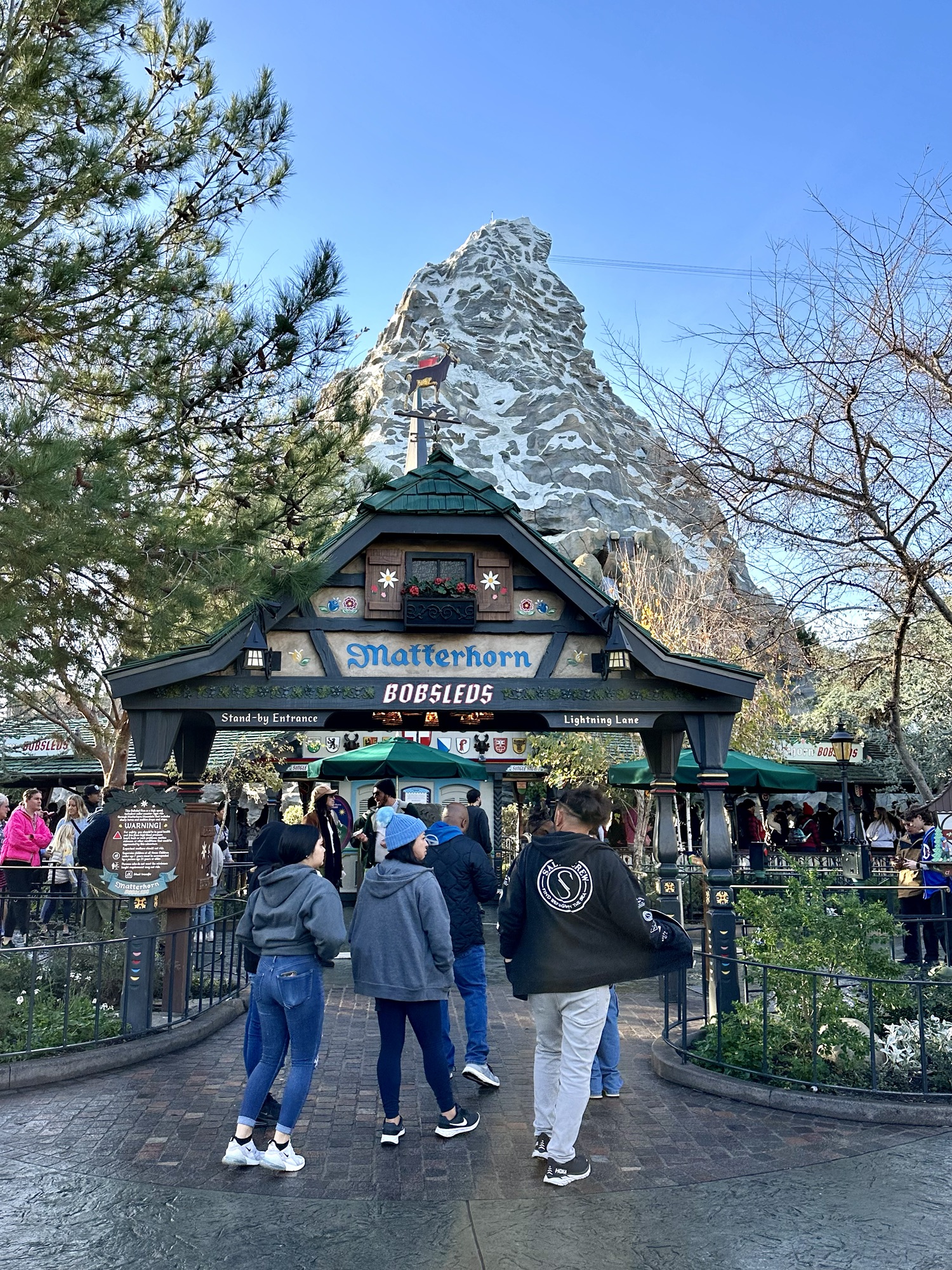
- Matterhorn Bobsleds
- Mickey & Minnie’s Runaway Railway
- Millennium Falcon
- Roger Rabbit’s Car Toon Spin
- Space Mountain
- Splash Mountain
- Star Tours – The Adventure Continues
Disney California Adventure:
- Goofy’s Sky School
- Grizzly River Run
- Guardians of the Galaxy – Mission: Breakout!
- Incredicoaster
- Monsters, Inc.
- Soarin’ Around the World
- Toy Story Midway Mania
- WEB SLINGERS
- Ariel’s Undersea Adventure

How to Buy Lightning Lanes at Disneyland
If you did not add LL to your ticket when you purchased it, you’ll need to buy it as soon as you enter the gate. You may not buy it until you enter the turnstile. It takes literally seconds….don’t worry about this. It’s easy to do.
Don’t worry about guests who bought LL with their tickets. No one can access the tool and grab attractions with LL until they physically enter the park at Disneyland. Everyone starts at the same time.

How to Use Lightning Lanes at the Disneyland Resort
When you select a Lightning Lane in the app, you’re committing to a return window sometime in (hopefully) the near future. The best way to maximize the LL system is to use it in conjunction with standby lines – but at the right time.
For example: I typically rope drop a big attraction (Space Mountain) after selecting another big attraction from the LL list (Matterhorn). While waiting for my return window, I’ll ride Buzz Lightyear in the standby line and hopefully Star Tours, too. Riding these standby in the morning while I wait for my Matterhorn return window to arrive allows me to ride both Buzz and Star Tours again, if I want, later in the day with a LL. That gives me two rides at a very little wait.
Good park strategies take years to develop. I have created strategies that incorporate Lightning Lanes like this for both parks, for both big kids (all attractions) and little kids (none of the scary ones).
Find my strategies for both Disneyland and Disney California Adventure in this important post. I’ve worked on these for 10+ years. These strategies show you how to use LLs to their fullest potential.

MagicBand+
Now available at both Disneyland and Walt Disney World, MagicBand+ is a nice tool to have in the parks, as they work with Lightning Lanes
This post details everything you need to know.

PhotoPass
PhotoPass is included in your LL purchase (at the Disneyland Resort only). Once you buy it in the app, a QR code will formulate that you can show to each PhotoPass photographer around the parks to collect your images.
If a photographer gives you a PhotoPass card at any point, you can easily enter those into the app as well.
If you are buying LL for the photos alone, only purchase one for your group. It will suffice for everyone you’re with, whether it’s 2 people or 12. You may all use the same code and/or enter multiple PhotoPass cards into the same account purchased by one guest.

DAS
The Disability Access Program has had some recent changes.
For info on Walt Disney World, go to this link.
For Disneyland, go here.
On either coast, here’s the best way to get the most out of DAS:
Use one of my strategies (or a plan from someone you trust) and start early. The mornings are essential for getting stuff done with minimal wait time in line. Use DAS in conjunction with your strategy and you’ll never wait more than 20 minutes for any attraction.
I used DAS for years at both Disneyland and Walt Disney World and have tried everything to minimize wait times. This is your best approach.
Find my strategies for Disneyland at this link.
And for WDW at this one.

Single Rider Lines at Disneyland
Single Rider Lines are a good option for guests who don’t want to wait in line for a long time and don’t mind riding alone or with a guest they don’t know. Single Rider Lines are utilized to fill in seats on attractions. They’re open to all guests, free of charge.
I do not include Single Rider Lines in my strategies for each park, as they don’t work for everyone. And, they’re not 100% in use at all times.
Some notes:
- Single riders must meet attraction height requirements and be at least 7 years of age.
- There’s no guarantee that Single Rider lines will be in use when you visit. They sometimes open and close based on park capacity. But, keep them in mind for the attractions I listed, above, in case you don’t get to them during my strategy.
Here’s more about Single Riders, including Disneyland’s options.

Don’t Want to Pay for Any Added Service?
If you don’t want to pay for anything above your ticket cost, I have strategies for you.
When the Disneyland Resort parks reopened on May 1, 2021, they opened without FASTPASSES and operated with standby lines only until Disney Genie arrived on December 8, 2021. During that time, I created, tested and perfected strategies using standby lines only. Find those here.
When Walt Disney World reopened on July 11, 2020, their parks operated with standby lines only until Disney Genie debuted on October 19, 2022. I visited Walt Disney World 8 times while they were using standby lines only and also created, tested, and perfected strategies using standby lines only. Find those here.

Rider Swap
Rider Switch (or Rider Swap or Child Swap) might work for you. Here’s how it works: As you approach the line, let a cast member know you’d like to do a Rider Switch. Everyone (adults and children) will then stand in line together. When it’s your turn, one adult will ride (with or without an eligible child) and the other adult will stay with the remaining child or children. Then, the other adult will receive a pass to return to ride without having to wait in line all over again. This means the eligible child can ride twice!
Your Rider Swap return pass is added to your theme park ticket or app, depending on which program you’re using. Up to three guests can have a “Rider Switch Pass” scanned onto their ticket or app.
There is now a 1 hour time period for you to return to use those return passes. And, you may only hold one Rider Switch pass at a time.
Disney explains it here:
To Use Rider Switch:
1. First check with a Cast Member to see if Rider Switch is offered at the attraction you’d like to experience.
2. Upon arriving at the selected attraction, approach the greeting Cast Member with your entire group. Members will be divided into 2 parties—“Party 1” includes those riding the attraction first, while “Party 2” consists of non-riders and their supervising Guests.
3. The supervising Guests of Party 2—which can include a maximum of 3 people— will have their admission media/tickets scanned and must wait in the designated area—usually outside the attraction—while Party 1 waits in line to experience the attraction.
4. After Party 1 experiences the attraction, they’ll assume supervision of the non-riding Guests.
5. The supervising Guests of Party 2 should then return to the appropriate attraction entrance (e.g., FASTPASS queue or attraction exit) to have their admission media/tickets re-scanned by a Cast Member for the Rider Switch entitlement. At this point, Party 2 may enter the appropriate attraction return line and board without waiting in the regular queue.
Note: The #3 in this description above provided by Disney is a bit confusing. I have never seen guests told to wait in a designated area.

How to Sync Tickets with Other People in Your Group
I highly recommend having everyone linked to one account if possible for any day at the parks, but especially when using Lightning Lanes.
Walt Disney World guests will simply sync with other people in their group via the My Disney Experience app. WDW details how to do this at this link.
Disneyland guests will need to be a bit more creative. We don’t have the same capabilities in our app, but that shouldn’t stop you. Simply add everyone’s tickets to one person’s Disneyland account. Then, have each guest sign into that same account – on their own device – to manage it. More than one person in the app at a time won’t be an issue. You do not have to be in the park to use the app once you enter in the morning.
For both Disneyland and WDW: If you have people in your group that you don’t want using the app, or they want to separate from you for a bit, have them use the paper ticket Disney issues to you when you walk in the park. The bar code on it is the same as the one linked to each person in the app, so they’ll be able to enter Lightning Lanes with their paper ticket.
Deep breaths, guys. We can do this.

| Take a look at how Get Away Today can help with your vacation |
 |

Can you help me understand how rider switch works with a single lightning lane, like radiator springs? If me, my spouse, and our 10 yr old wants to ride, but our 6 yr old does not, do we buy 3 single LL’s? Then follow the steps above? Or do we only need to buy 2 single LL’s?
Hi Stacy.
My understanding is that you will need 3 but I would check with a cast member on site to confirm if you can, as they’ll be able to advise directly. But typically you need one for all eligible guests.
I’m so confused. if we link all 8 of our tickets, why do we all have to log into the same account? Can’t we each be logged into our own accounts, if we’re linked why does it matter? Hopefully this makes sense?
Hi Deidra.
Sorry for the confusion.
To ensure you sync your timing with other people in your party. Some Genie+ selections go quickly, so if 8 people are managing their own accounts, it’s unlikely they’ll all get the same return window when making a Genie+ selection.
Hi, Casey! You’re saving me in planning this trip! A couple questions:
1. If I enter DCA at rope drop, am I right in thinking that I could theoretically have three Lightning Lanes reserved in Disneyland by the time I park hop (reserved at 8 am, 10 am, and noon)?
2. Am I right that the app will automatically show me Disneyland Lightning Lanes with return times after 1 pm if I start the day I’m DCA?
3. Is it possible to hold an individual Lightning Lane and regular Lightning Lane at the same time? Like could I pay for Rise and get a Genie+ Lightning Lane for Space Mountain at the same time, or does the two-hour wait apply for Individual Lightning Lanes as well?
4. Do the Lightning Lanes in the two parks count against each other? That is, if I reserve a Lightning Lane in DCA at 8 am, do I have to wait until 10 to reserve one for later in the day in Disneyland?
5. Do either Genie+ Lightning Lanes or Individual Lightning Lanes allow you to choose your return times, or do you always just get the next available time?
Thanks so much!
Happy I can help. Let’s take a look at your questions:
1. If I enter DCA at rope drop, am I right in thinking that I could theoretically have three Lightning Lanes reserved in Disneyland by the time I park hop (reserved at 8 am, 10 am, and noon)? – This is possible, yes.
2. Am I right that the app will automatically show me Disneyland Lightning Lanes with return times after 1 pm if I start the day I’m DCA? –
The app will show you return times while you start your day at DCA.
3. Is it possible to hold an individual Lightning Lane and regular Lightning Lane at the same time? Like could I pay for Rise and get a Genie+ Lightning Lane for Space Mountain at the same time, or does the two-hour wait apply for Individual Lightning Lanes as well? – The two systems are disconnected, so it’s possible to use both at the same time.
4. Do the Lightning Lanes in the two parks count against each other? That is, if I reserve a Lightning Lane in DCA at 8 am, do I have to wait until 10 to reserve one for later in the day in Disneyland?
5. Do either Genie+ Lightning Lanes or Individual Lightning Lanes allow you to choose your return times, or do you always just get the next available time? – Both systems only offer the next available window. You cannot choose a time later in the day, unfortunately.
Quick question for you: Are you aware that you don’t have to wait 2 hours between Genie+ selections? I explain more here:
https://disneylanddaily.com/disney-genie-at-disneyland-and-walt-disney-world/#How_to_Avoid_Waiting_2_Hours_For_Your_Next_Genie
Let me know what other questions come up!
Thank you SO much! And thanks also for the info on the timing of the Genie+ selections! One more question:
Can I make Genie+ selections in both parks at the same time? That is, if I rope drop in DCA and reserve a Genie+ Lightning Lane in DCA at 8 am, do I have to wait until 10 to reserve one (for later in the day) in Disneyland? Or can I make Genie+ selections in both parks right at 8?
Photo pass is not included in WDW’s version of Genie+
Thanks, Missy! I’ve corrected my post.
I appreciate you letting me know.
Oh my gosh, our first time at Disneyland & CA in 6 years upcoming next week — we haven’t even seen Star Wars Land or Guardians of the Galaxy: Mission Breakout, much less all the rethemed areas of CA or Genie+! I was such a master of our past many visits and am now feeling overwhelmed! But am patiently making my way through all your posts and am taking notes and am trying to navigate what I can of the App.
Going with our 16 and 17 years olds to celebrate our daughter’s high school graduation and we are SO looking forward to it — I just hope I can deliver as master planner! I’d have NO CHANCE if it weren’t for you!
Two quick questions:
1) We’ll be staying at the Grand Californian. On our California Adventure start day, I’ve read elsewhere it’s not a good idea to enter from the Grand Californian entrance for rope drop as the entrance gets backed up, but better to go through Downtown Disney to the main entrance. Do you agree?
2) About dining at Trader Sam’s at the DL Hotel — I tried making a reservation exactly 60 days out (as I did for other dining options) but wasn’t able to and kept checking back to no avail. Were they likely just immediately full? Or are they not taking reservations and we just need to try to walk in?
Best, and thanks for everything!
Hi Casey,
Sorry if this was answered already, but do you need to buy Genie+ first before being able to purchase a la carte? Or can you purchase a la carte without Genie+?
Thanks!
You do not, Josephine. You can buy the a la carte all on its own. Enjoy!
I thought that I would pass along our experience with Genie+ from March 22-31, 2022, to help people manage expectations. We stayed on-site (allowed us to make our first Genie+ selection at 7:00) and went to WDW parks on 6 days (Spring Break, so all were busy). We used Genie+ on 5 of those days (2 Magic Kingdom, 2 H.Studios, & 1 EPCOT) following your strategy. We linked our entire party so that any one of us could make Genie+ selections for our entire party. At exactly 7:00:00 two or three members of our party would try to make our first Genie+ selection. Once, my son was able to capture an early high-priority Magic Kingdom ride. All other times and for everyone trying, the Genie+ program crashed – it crashed 11 out of 12 tries (Disney really needs to figure this out!). It would come back up in 3 to 6 minutes and, at that time, we would be able to our first Genie+ selection of the day. However, our high-priority ride selection was generally late afternoon or evening, so we used your strategy of stacking rides in those late afternoon/evening hours. Genie+ allowed us to stack three high to medium priority rides each day and saved us line time on several lower priority rides each day. As an example – Slinky Dog Dash 6:30-7:30, Toy Story Mania 8:05-9:05, & Tower of Terror 8:20-9:20 on our first Studios day; plus Star Tours, Frozen, and Muppets 3D Lightning Lanes. After that first day our group agreed on two different plans for each day based on whether, or not, we picked up that early high-priority ride, or not. I hope this helps your readers manage their Genie+ expectations. Thanks, Casey, for all you do to help us navigate a fun WDW day!
This is so helpful, Wayne. Appreciate you sharing your results. Thank you!
Casey magical lady. Can you please help me clarify a genie plus detail….? If we have park hopper tickets… After we scan into the first park in the morning, if we attempt to book an LL for the afternoon park will it recognize our park hopper status and automatically offer us a return time after one pm? Or will it just offer us the next available (in which case we couldn’t make it unless it was after one…). I read conflicting reports and am trying to strategize. We will be at Disneyland late May and early June in case your in the parks and we can say hi! Happy almost Pearls in the Park! We send sparkles and pixie dust!
???? ?????????????
Michaela!
I’m no more magic than you, but I’m glad to help.
I haven’t heard a definitive answer on this, but my guess is that the app will not know you need to wait until 1:00pm to hop.
Plan around that and assume it won’t know.
Hope to see you! I’ll be there late May and lots of June.
Hi Casey! Thanks for all you do to help make our vacations efficient!! We have park hopper tickets for next week. When we are in one park, can we get a LL or even an ILL for the other park? As long as it’s the correct time frame. It will let us do that while physically being in the opposite park? DL and DCA. Thanks!
Yes and yes! You can do stuff for the adjacent park while in the other. You don’t have to physically be there to do it. You just have to have entered one of the parks to get started. Even ILLs. Have a great trip!
Hey Casey!
Thanks for all that you do. We are arriving mid day-evening in our first day (probably in the park by 4), any recommendations on how to maximize that first evening? We want to try the Star Wars rides as they are new to us if they would be an option but also just want to maximize our first evening there. Thanks!
Hi, Jason.
Disneyland or Walt Disney World?
Disneyland
Ok, super.
This post details how to maximize your arrival day with tips on which attractions to focus on in each park:
https://disneylanddaily.com/how-to-best-use-a-late-start-day-at-disneyland/
If there is enough availability left in the day and you decide to use Genie+, grab one for the Millennium Falcon as soon as you arrive.
Consider purchasing the a la carte Lightning Lane for Rise of the Resistance if it’s available. Or check wait times for it in the early evening. I consider a 60 minute wait time permissible for an attraction of this caliber. But, don’t get in line if the sun is bright. Wait until later in the day…..as long as it’s not too late. This attraction closes at 8:00pm some nights. 9:00pm on others. The Disneyland app shows the time.
More on Galaxy’s Edge:
https://disneylanddaily.com/star-wars-galaxys-edge/
Hope this helps!
I would love to hear Genie+ strategies for families with kids of an age to do rides on their own but not old enough to have own cell phones. Obviously this is our situation. 🙂 Kids are 11 & 13. 13 yo has a cell phone but 11 yo does not. Can we load both their Genie+’s on 3 cell phones? (mom’s, dad’s, and 13 yo – although our preference would be to NOT have the 13 yo have everyone’s Genie+ on his phone due to potential for user error.) Some rides we all 4 want to go on… some rides only kids… some rides other combos. Seems like it is set up for a monolithic family all moving in lockstep together for 12 hours, LOL!
Hi, Amalia.
Sure. Have one person attach everyone’s tickets to one account. Then, all of you can log into that same account throughout the day to schedule Genie+ passes, use PhotoPass, etc.
Does that make sense?
Thanks for the response! My question probably boils down to, if Mom or Dad’s cell phone is the keeper of all four family Genie+s, what do the kids show if they are doing a LL ride without adult? Seems like somebody would have to show a phone with the right code at LL (either when entering that queue or before boarding).
The answer might be very obvious when we get there next month…
Hey Amalia.
I see now. Disney prints a paper ticket for each guest on their first day in the park. It happens at the gate, right before you go in. Those tickets have a barcode on them and can be used just like the barcode on your phone. Have each guest keep theirs in a safe place.
Casey,
Love the content. Question on rider swap…can people in party 1 and party 2 overlap this allowing you two rides for one lol? For example you have a party of 7 with one kid that is too small. Can 5 people go at first…then another 3 people go next? Thus allowing two people to ride twice? Also, does everyone in the party have to have a LL for the attraction or just everyone in Party 1?
Hi, Tyler.
You should be able to! Check this out…the bottom portion of this section:
https://disneylanddaily.com/how-to-best-use-a-late-start-day-at-disneyland/
Hope this helps.
Maybe I missed this, but if you want to purchase Genie+ Do you do so when you get into the park? It can you do it before you arrive?
Hi, Robyn.
Sorry for the confusion. Here’s the scoop on when and how to buy Genie+:
https://disneylanddaily.com/disney-genie-at-disneyland-and-walt-disney-world/#How_to_Buy_Disney_Genie_or_Lightning_Lanes_at_Disneyland
sign up for emails for help with Genie!
Hi Casey, I’ve loved your blog for years and it has helped me feel so comfortable in the parks. We go several times of year from out of state. In an effort to adapt my normal strategy to this new system I have one important question …
Did I read in the comments that if you purchase Genie + you get one radiator springs and one Web Slinger LL with it and then everything after that is al la carte?
Where are the al la carte prices located?
I’m not finding the disney app and website explanations very informative. They feel more like a marketing video than an instructional video? Are there instructional videos on the Disney App or Website. Im just wondering if I’m missing something. We are going this weekend.
Hi, Jill.
That’s actually incorrect. You may purchase Genie+, which allows you one entry per day into each Lightning Lane.
And/Or, you can purchase an ‘a la carte’ LL for three attractions including:
Radiator Springs Racers
WEB SLINGERS
ROTR
A la carte pricing changes per day.
My plans don’t include purchasing LLs a la carte, so if you follow them, you won’t need to fuss with any of them. Otherwise, the price for each LL should be listed in the app.
I’m getting use to it all, too, right now. I’m sorry it’s so confusing. If I find any good videos, I’ll link them to this post.
More info coming soon!
It was garbage! We had mastered the fast pass and now, All of the old strategies are out the window. Yes, it was packed when we were there and we are no longer early risers so I’m sure both of those things were part of the challenge. However with fast pass we could still ride several choice rides on this schedule. Getting to the park around noon, purchasing Genie was a waste of money. We used it for Monsters Inc (seriously … a traditional walk on ride) and Guardians because we couldn’t get anything else until after 7:30 PM and we had a flight to catch. We did get to eat some of our favorite snacks and took in the snack size parades. Any day at Disney is a good day, but for us, the genie + is a hard pass until they bring back shows and move people better.
What is your recommendation of ride order on days you aren’t using genie+? Thanks, this is so helpful. Taking the family for the first time in a few weeks.
Hi, Ali.
Here’s how to enjoy the parks without paying for Disney Genie:
https://disneylanddaily.com/disney-genie-at-disneyland-and-walt-disney-world/#Dont_Want_to_Pay_for_Any_Added_Service
Hope y’all enjoy!
I am meeting another party at Disneyland this weekend. We both plan to buy genie plus. Is there a way to combine our parties on my app so I can make lightning lane reservations for the entire group? I want all of us to be able to ride rides together.
Use one account and add everyone’s tickets to it. You both should be able to sign in to it at the same time. Treat your two parties like one party on the app.
When buying an a la carte lightning lane, are you able to choose whatever time slot you’d like, or is it the next available time like regular lightning lane? Thanks!
I have this question too! We want to take a break midday so would like to be able to choose a time that will work for us for RoR.
I have not tried this personally, but a few people on my facebook page said that you may only select the next available return window. So, you’ll have to watch the app for timing.
Finally found some info. I have not tried this personally, but a few people on my facebook page said that you may only select the next available return window. So, you’ll have to watch the app for timing.
Casey, will you at some point also review and adjust your park strategies for visiting BOTH DL and DCA in a single day using Genie+?
Absolutely. I’m working on it now and will test in the parks asap.
Wow I love your recommendations, we are not looking forward to trying Genie at all.
There’s a lot to know. It will get easier! More information coming.
Can you have an ala carte lightning lane purchased/reserved the same time as a normal lightning lane reservation? Or does it follow the one at a time rule?
You may purchase a Lightning Lane a la carte for an attraction and then use the one time access with Genie+, too. You could also ride standby as well.
It seems that the unlimited Disney Photopass is only for the Disneyland Genie+ as I don’t see it mentioned on the Disney website for Disneyworld Genie+. For a moment, I thought I was going to be able to cancel the Memory Maker package I bought for my trip. For Disneyworld, all they include with Genie+ are Disney “lenses” special backgrounds for pictures.
I would LOVE updates on the DAS and the Genie + as you move through this new process.
THANK YOU!
So…if I pay for the lightning pass, do I then have to pay an additional fee to ride RoR or Racers using the individual lightning lane? Cuz. Girl. I hope I am not understanding that correctly. If this is the case, I realize I could probably just try for the virtual queue for RoR, and stand by at Racers. But I would think the virtual queue would be even more challenging to get into if they are also putting aside spots for the Lightning Lane. Any word if they will be adding an option to purchase the Genie+ with a Magic Key? Like when we could add my beloved MaxPass to my Annual Pass?
Any update on Genie plus at Disneyland? Headed there in Feb and curious if we should plan on buying this.
Nothing yet. Hope we know more soon! I’ll update this post when we do. Should be any day now.
Will/Do the single rider lanes still exist?
Hi, Christine.
They exist! I just added a section about them to this post:
https://disneylanddaily.com/disney-genie-at-disneyland-and-walt-disney-world/#Single_Rider_Lines
We will be in Disneyland 11/7-10. Should we expect Genie to be available then? Anything else we should be familiar with/use if not? Thanks!
It’s hard to know! As soon as we have a date for Disneyland’s Genie, I’ll update this post with that and more. Hope to know soon.